The desk shelf: organising the vertical
A desk rarely runs out of surface. It runs out of height. Here is what a desk shelf changes on the desktop.
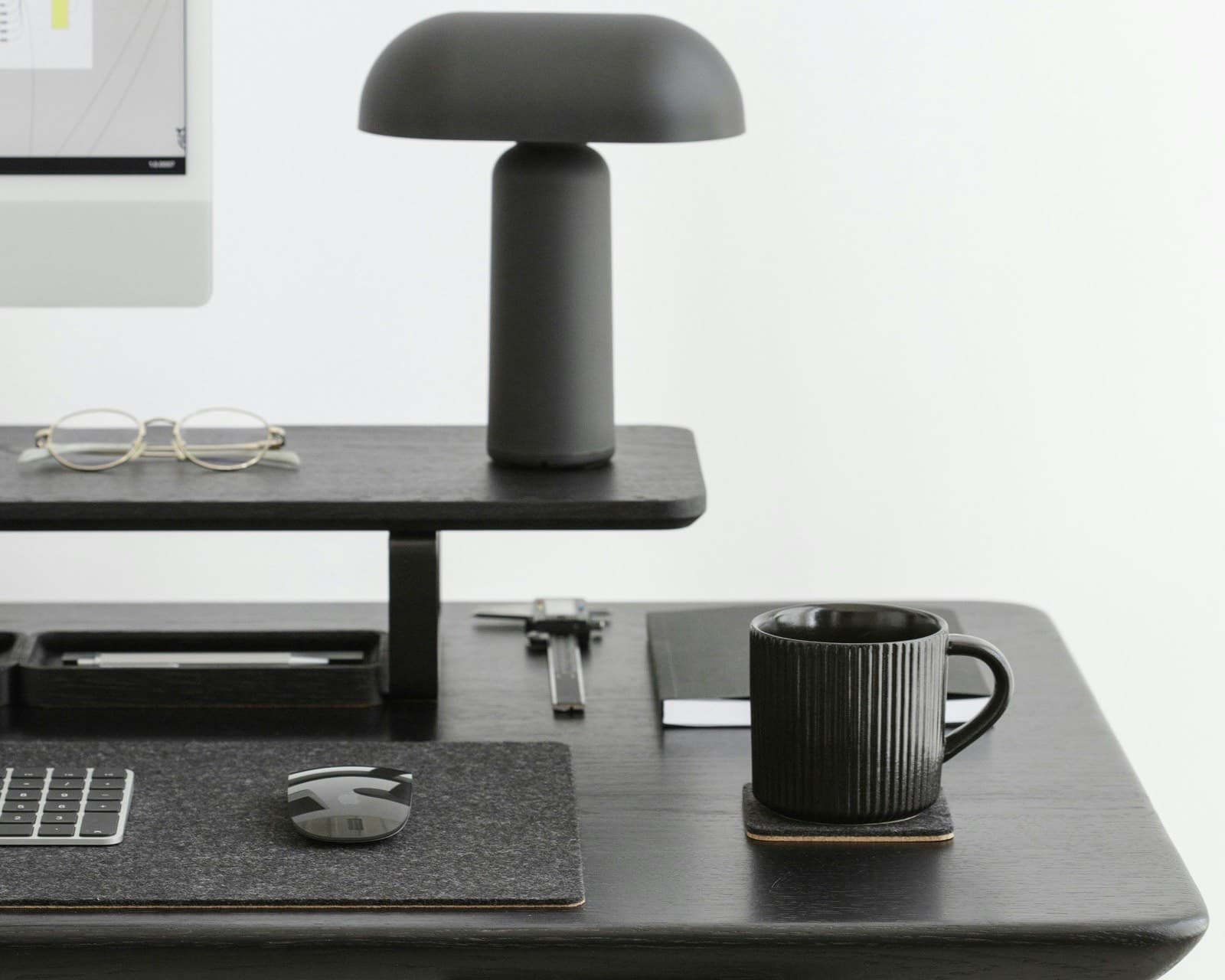
Photo: Oakywood / Unsplash
On a crowded desk, we push objects towards the edges until the desktop is full and the screen ends up wherever room remains. That often comes from using only one level. A desk shelf, also called a monitor riser or stand, lifts the screen while freeing the surface underneath.
01. A desk runs out of height, not surface
Look at a crowded desk. The screen is ringed by small objects: a notebook, a mug, cables, a phone, a stack of papers in waiting. Everything sits on the same plane, at the same height, inside the same field of view. When room runs out, we push toward the edges. The desktop becomes a mosaic of objects, and the screen ends up in whatever position is left, usually too low.
We tend to ignore the space above the desktop. A desk shelf uses it by setting a second surface a few centimetres above the first, turning the zone under the screen into useful storage.
02. Raising the screen: what ergonomics says
The first job of a desk shelf is to lift the screen. Its height affects the angle of the gaze and neck, but the right setting is personal.
A study in Ergonomics (Jaschinski et al., 1998) found that people free to position their own screen preferred a slightly downward gaze, between 0 and 16 degrees, at a distance of 60 to 100 cm. The differences between participants were substantial. A shelf can bring the screen closer to that range if its height and distance suit the person using it.
In a randomised controlled trial published in Industrial Health in 2021, Lee et al. evaluated a full workstation adjustment. The intervention covered screen height and distance, but also the chair, desk, keyboard, and mouse. The groups differed, with lower neck and shoulder pain intensity in the intervention group. The study cannot isolate the effect of the screen. This result is a reference, not a guarantee, and an adjustment replaces neither movement, breaks, nor medical advice when pain persists.
On a laptop, the screen and keyboard are joined. Raising the laptop therefore raises the keyboard too, and your hands with it. To adjust the screen without raising your hands, use a separate keyboard on the desktop underneath.
In their comparison of laptop and desktop use, Straker et al. (1997) observed greater neck flexion and head tilt with the laptop. A separate keyboard lets you adjust screen height without imposing the same height on your hands. It is the setup change we cover in the piece on the neck and the laptop.
03. Clearing the surface beneath the screen
The second function is the space recovered underneath. What used to scatter around the screen finds a place under the shelf, out of the foreground but within reach. The keyboard slides there when it is idle. A notebook, a mouse, or a small tray can sit there without crowding the work zone.
Tidiness is only part of it. McMains and Kastner (2011) describe how several stimuli present at once compete for representation in the visual cortex. Their imaging study used laboratory stimuli, not desks, and does not show that a clear desktop takes less effort. The shelf simply gives you somewhere to move the objects you are not using.
04. Thinking in tiers
Once you have height to work with, decide what should stay in front of you and what can move.
The desktop, in front of you, is the active zone. Keep only what serves the task at hand: the keyboard, the mouse, the open notebook. This is the surface the shelf just freed; do not fill it again.
Under the screen, the gained space is for things you use often but not right now: the idle keyboard, a small tray, a coiled cable. This is where small objects withdraw without disappearing.
On the shelf, above, keep only what deserves to be seen or reached without crowding the plane: a lamp, a plant, a reference object, the phone on charge. Height is not a place to stack things. It keeps the few things that matter within sight.
The shelf, level by level
- DesktopKeyboard and mouse in front of you while working.
- Below the screenThe same keyboard can be stored here when work is finished.
- Top surfaceThe screen and a few chosen objects, within the manufacturer’s load limit.
This tiered setup completes the horizontal order. Cables follow their own path under the desktop, a subject we handle in the cable management guide, and the coherence of the whole workstation belongs to the ergonomics guide.
05. Desk shelf or riser, monitor arm: don’t confuse them
Two approaches raise a screen, and they do not work in the same way.
The riser or desk shelf sets a fixed surface at a given height, sometimes adjustable in steps. It is the direct choice when you want to raise the screen and recover a storage zone underneath.
The monitor arm clamps to the desk edge and holds the screen in the air. It offers continuous height and tilt adjustment, useful if you change posture often or run two screens. It clears the desktop but does not create a storage shelf. The arm must fit the monitor mount; a laptop needs a suitable tray.
The right choice depends on what you are after. If you want fine, continuous adjustment, the monitor arm wins. If you use a laptop with a separate keyboard and want storage underneath, the shelf is a better fit. The two can work together: an arm for the main screen, and a shelf to structure the rest.
06. An object that structures, without promising
Altowork does not present a shelf as a posture solution. It does not correct a back, remove pain, or guarantee focus. Its role is simpler: give the screen a height, the keyboard a place to withdraw, and the other objects somewhere away from the active desktop. It belongs to a larger move: organising a home-office desk starts with zones and places, not with objects.
A desk shelf can serve this purpose: its top raises the screen and leaves storage space underneath. Check its height and footprint against your monitor and seated position before choosing one.
Jaschinski W., Heuer H., Kylian H., “Preferred position of visual displays relative to the eyes: a field study of visual strain and individual differences”, Ergonomics, vol. 41(7), 1998. doi.org
Lee S. et al., “Effect of an ergonomic intervention involving workstation adjustments on musculoskeletal pain in office workers—a randomized controlled clinical trial”, Industrial Health, vol. 59(2), 2021. doi.org
Straker L., Jones K. J., Miller J., “A comparison of the postures assumed when using laptop computers and desktop computers”, Applied Ergonomics, 1997. doi.org
McMains S. and Kastner S., “Interactions of Top-Down and Bottom-Up Mechanisms in Human Visual Cortex”, Journal of Neuroscience, 2011. doi.org
. Mention of our own shelf removed; added advice to check height and footprint against your monitor and seated position.