Remote work exercises: active breaks and desk stretches
Short movements for interrupting a screen-heavy day, without turning the desk into a gym or promising to fix the body.
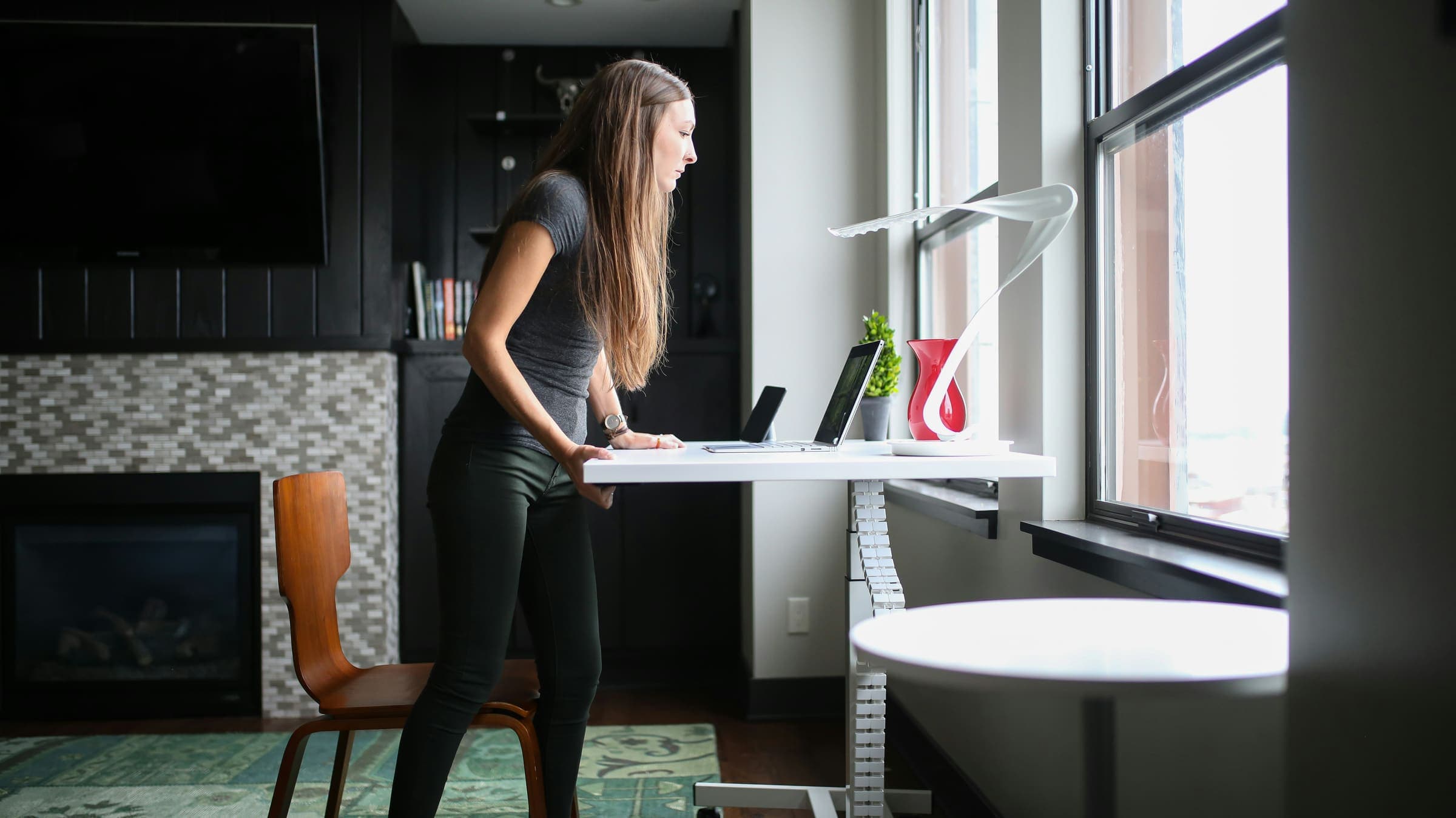
Photo: TheStandingDesk / Unsplash
Good remote work exercises are not about performance. They interrupt sitting, move the joints that have stayed still, and draw attention to stiff areas before you return to the desk.
In remote work, it is easy to blame the chair. The chair matters, of course, but another thing adds up quickly: staying in the same position for too long, with the neck slightly forward, shoulders creeping up, wrists fixed in place, and hips closed under the desk. The workstation may be well adjusted; the body still needs alternation.
Public health recommendations point that way. France’s Assurance Maladie recommends breaking sedentary time, for example with breaks of 5 to 10 minutes every 2 hours, moving from sitting to light physical activity. INRS notes that screen work should include frequent interruptions or changes of activity, especially when the task itself does not naturally allow alternation.
This guide is not medical advice. If pain is sharp, recent, persistent, radiating, or linked with another symptom, do not push through a stretch from an article. Ask a health professional. Here, “postural desk gymnastics” means something modest: small repeated movements that keep the day from locking into one position.
01. Set the frame: an active break is not a workout
An active break at work lasts a few minutes. It needs no mat, outfit, or app. It begins when you leave the screen, even briefly, to change posture: stand up, walk through the room, open the shoulders, move the wrists, and breathe a little lower.
The distinction from exercise training matters. A workout builds fitness. An active break breaks immobility. It keeps remote work from becoming one long seated line between two coffees. WHO recommends limiting sedentary behaviour and replacing part of it with physical activity, including light activity. At desk scale, that starts with very small gestures.
Keep one safety rule: slow movement, comfortable range, normal breathing. Mayo Clinic advises against bouncing during stretches and recommends stopping if pain appears. Look for a light pull, not a flexibility test.
Do not wait until the body is already shouting. Start the active break when you change task, after a meeting, before a call, or as soon as you notice the shoulders have climbed.
02. The seven-step routine, next to the desk
This short routine can be done near a stable chair. It takes about 6 to 8 minutes. It should stay gentle; if one movement does not suit you, skip it.
1. Stand up and walk for one minute
Stand fully. Take a few steps, get water, put one object away, open and close a window if it makes sense. The goal is to take the hips, back, and breathing out of the seated position. It is the most ordinary move, and often the most neglected.
2. Unlock the neck without pulling on it
Standing or sitting tall, slowly look left, then right. Return to centre. Then tilt one ear toward the shoulder, without pressing with the hand, and switch sides. Two passes are enough. With the neck, less intensity is better than too much ambition. If the low laptop is the problem, our guide to laptop neck pain when working from home covers the screen and keyboard setup.
3. Open the shoulders
Make five slow shoulder circles backward, then let the arms drop. Next, place the hands behind the back if comfortable, or simply on the hips, and open the chest for three breaths. Keep the movement comfortable without arching the lower back.
4. Move wrists and fingers
Stretch the arms forward at a comfortable height. Open and close the hands ten times. Then make a few slow wrist circles. Finish by placing the hands flat on the desk and moving the torso slightly back until you feel a gentle forearm stretch. No aggressive pressure: the keyboard has already asked enough of this area.
5. Release the hips
Hold the back of a stable chair. Step one foot back, bend the front knee slightly, then gently move the pelvis forward until the front of the hip opens. Hold for a few breaths, then switch sides. Keep the range calm and comfortable.
6. Unfold the back of the legs
Place one heel in front of you, leg almost straight, toes lifted if possible. Keep the back long, then lean very slightly from the hips. The sensation should stay behind the thigh or calf, never in the lower back. Switch sides.
7. Return to the desk with one adjustment
Before sitting again, correct one concrete detail: raise the screen, move the mouse closer, bring water into view, remove a cable from the path, drop the shoulders. An active break becomes more useful when it leaves a trace in the environment. For the full setup, return to our home-office ergonomics guide.
03. The right rhythm: frequent, short, unspectacular
Do not hunt for the perfect routine. An ambitious ten-minute break can disappear from the calendar quickly. Micro-breaks fit more easily between tasks. Ameli gives the reference of 5 to 10 minutes every 2 hours to break sedentary time. On a day packed with meetings, you can add even shorter moves: stand during a call with the camera off, walk after a video meeting, open the shoulders before answering a long message.
INRS also talks about changes of activity. Not everything has to happen seated in front of the same screen. Read a printed page, take a call standing, clear the work zone, refill a bottle, walk outside for five minutes after lunch. The body does not need every break to be labelled as an exercise.
If you use a sit-stand desk, keep the same restraint. A Cochrane review found that these desks may reduce sitting at work during the first year, but rated the evidence as low quality. The furniture helps alternation; it does not replace movement, breaks, or how the day is organised.
04. What posture cannot do by itself
You are not trying to find one perfect posture and hold it. A posture held too long becomes a constraint, even if it looks good on a poster. A workable setup lets you move without disturbing everything.
Start with what blocks movement. A chair too low, a table too high, a flat laptop, a mouse too far away, cables around the feet. The right remote-work chair helps if it adjusts to your body, but it should not become an invitation to stop standing up. A good chair supports. It does not cancel the need for alternation.
At Altowork, we keep coming back to gesture, posture, and material. The gesture is the break that returns. The posture is the workstation that does not force the body to negotiate. The material is the surface that stays stable, matte, pleasant, and quiet. For remote work exercises, the useful part is plain enough: make movement easy to repeat.
05. Mistakes that make desk stretches useless
Avoid pulling too hard. A desk stretch is not an arm-wrestling match with your neck. If you grimace, hold your breath, or feel pain going down an arm or leg, this is no longer the right register.
Leave the screen as well. An active break done while reading Slack is just another posture. Look elsewhere and, if possible, leave the chair, even for thirty seconds.
Most importantly, do not treat a comfort routine like care. For prolonged sitting, Ameli lists repeated standing breaks, stretching, and pause exercises among its practical recommendations. These movements do not diagnose anything and do not replace care.
In practice: your remote-work active break
Set a discreet reminder two or three times a day, then keep the routine visible: walk, gentle neck, shoulders, wrists, hips, back of the legs, one workstation adjustment. If you only have two minutes, keep the walk and shoulders. If you have eight, do the full sequence.
An active break does not need to be impressive. It only needs to return often enough for the desk to stop being one fixed position. It is a comfort habit and a way to pay attention to the body, not treatment. The rest of the workstation has to follow: better screen height, adjusted chair, visible water, correct light, stable surface. That is when exercises become part of remote work instead of another good intention left in an open tab.
Frequently asked questions
What remote-work exercises can I do when I have little time?
When time is short, start by standing up, walking for one minute, making a few shoulder circles, moving the wrists, and gently opening the hips. A mini-routine that is easy to repeat is more likely to fit into the day.
How often should I take an active break at work?
Ameli recommends breaking sitting time with 5-to-10-minute breaks every 2 hours. In between, very short posture changes can help: a standing call, a walk after a meeting, water that you need to get up for.
Are desk stretches enough to avoid pain?
They can support better comfort habits and interrupt immobility. Pain can still happen. Persistent, sharp, or unusual pain should be discussed with a health professional.
Do I need a sit-stand desk to move more?
No. A sit-stand desk may help some people alternate, but it is not required. Walking, standing up, changing activity, and protecting real breaks remain the basic moves.
What should I do if an exercise causes pain?
Stop the movement. Return to a smaller range or skip it. If the pain persists, comes back often, or comes with other symptoms, ask for medical advice.
INRS, “Travail sur écran. Réglementation et normes”, checked June 28, 2026. inrs.fr
INRS, “Travail sur écran. Prévention des risques”, updated June 11, 2025. inrs.fr
Assurance Maladie / Ameli, “L’exercice physique recommandé au quotidien et la lutte contre la sédentarité”, checked June 28, 2026. ameli.fr
Assurance Maladie / Ameli, “Agir sur les facteurs favorisant les troubles musculo-squelettiques”, checked June 28, 2026. ameli.fr
World Health Organization, “WHO guidelines on physical activity and sedentary behaviour”, 2020. who.int
Mayo Clinic, “A guide to basic stretches”, checked June 28, 2026. mayoclinic.org
Cochrane, “Workplace interventions for reducing time spent sitting at work”, checked June 28, 2026. cochrane.org
. Cochrane finding clarified (first year, low-quality evidence); several effects attributed to the stretches removed.