Laptop Neck Pain When Working From Home
Why a flat laptop tires your neck, and the setup that, according to research, reduces neck flexion.
In the evening, as you close the laptop, your neck feels stiff. A tightness at the base of the skull, a dull ache between the shoulder blades. Not real pain. Just enough to notice, and regular enough that you have stopped blaming chance.
Neck pain is one of the most common musculoskeletal complaints in the world. The World Health Organization estimates that around 222 million people live with it, among the 1.71 billion affected by a musculoskeletal condition. In France, these disorders, known as TMS, account for roughly 90% of recognised occupational diseases, and the national health insurer (Assurance Maladie) reports they rose 6.7% between 2023 and 2024.
Surveys conducted during the pandemic also documented the problem at home. In a study of 4,112 homeworkers, 71.9% reported neck or shoulder pain, either mild or severe enough to interfere with work. In France, an analysis of the national CONSTANCES cohort found that, since the first lockdown, new neck pain had appeared in 2.1% of men and 4.4% of women; among women, teleworking more than half the time was associated with a higher risk of neck pain. The association was not significant in men. Time spent working from home may therefore matter, though it is not the only factor.
01. Why the neck is the weak link
Reading the comparison
- Head forwardThe gaze drops towards the low laptop.
- Head uprightThe head returns over the shoulders. Workstation adjustments follow below.
An adult head weighs several kilograms. When it tips toward a screen that sits too low, its centre of mass moves farther from the neck. The extensor muscles then have to work harder to hold it.
Ergonomics has a name for this posture: forward head posture. A systematic review with meta-analysis found that, in adults, it is associated with neck pain: people with neck pain show more of it than those without, and its magnitude correlates with how intense the pain is. This is an association, not proof of cause: it is not always clear whether the posture precedes the pain or follows from it. The review found this association in adults, but not in adolescents.
The further the neck bends, the greater the leverage the head exerts on the vertebrae, and the harder the neck extensor muscles must pull to hold it up: an experimental study measured that both the gravitational moment and the activity of those muscles rise as the flexion angle increases. An EMG-driven biomechanical model estimates that at 45 degrees of flexion, compression on the cervical spine is roughly 1.6 times higher, and shear on the upper neck vertebrae about four times higher, than in a neutral posture.
A biomechanical model estimates internal forces; it does not weigh the head like a scale. Focus on the direction of the result rather than a dramatic slogan: as flexion increases, the calculated loads on the neck rise too.
02. Why the laptop, specifically
The laptop's ergonomic problem comes from its design: the screen and keyboard are one piece. You cannot adjust one without throwing off the other. If the keyboard sits at the right height for your hands, the screen is too low for your eyes; if the screen is at the right height, the keyboard is out of reach.
This constraint has been documented for decades. As early as the mid-1990s, studies comparing laptops and desktop computers found significantly greater neck flexion and head tilt on a laptop. More recent motion-capture work puts a number on it: working on a flat laptop adds, on average, about ten degrees of neck flexion compared with a properly positioned desktop screen.
Where you put the machine matters as much as the machine itself. A study by Japan's occupational-health institute measured, with the same laptop, near-neutral neck flexion on a table and around 27 degrees on a sofa. Of the four pieces of furniture tested with that laptop, the sofa produced the greatest neck flexion.
Putting the laptop on a desk does not solve the joined screen-and-keyboard problem. For prolonged use, you need to adjust screen height separately from hand position.
One study of 232 homeworkers found that using the laptop's own screen was associated with roughly three times the odds of neck discomfort compared with an external monitor. Another survey of 4,112 people found no difference by computer type. Both studies were observational: they suggest an association without proving that the laptop causes pain.
03. The most direct adjustment
Three separate adjustments
- ScreenThe stand raises the laptop.
- HandsKeyboard and mouse stay on the desktop.
- DistanceAdjust the reading distance separately.
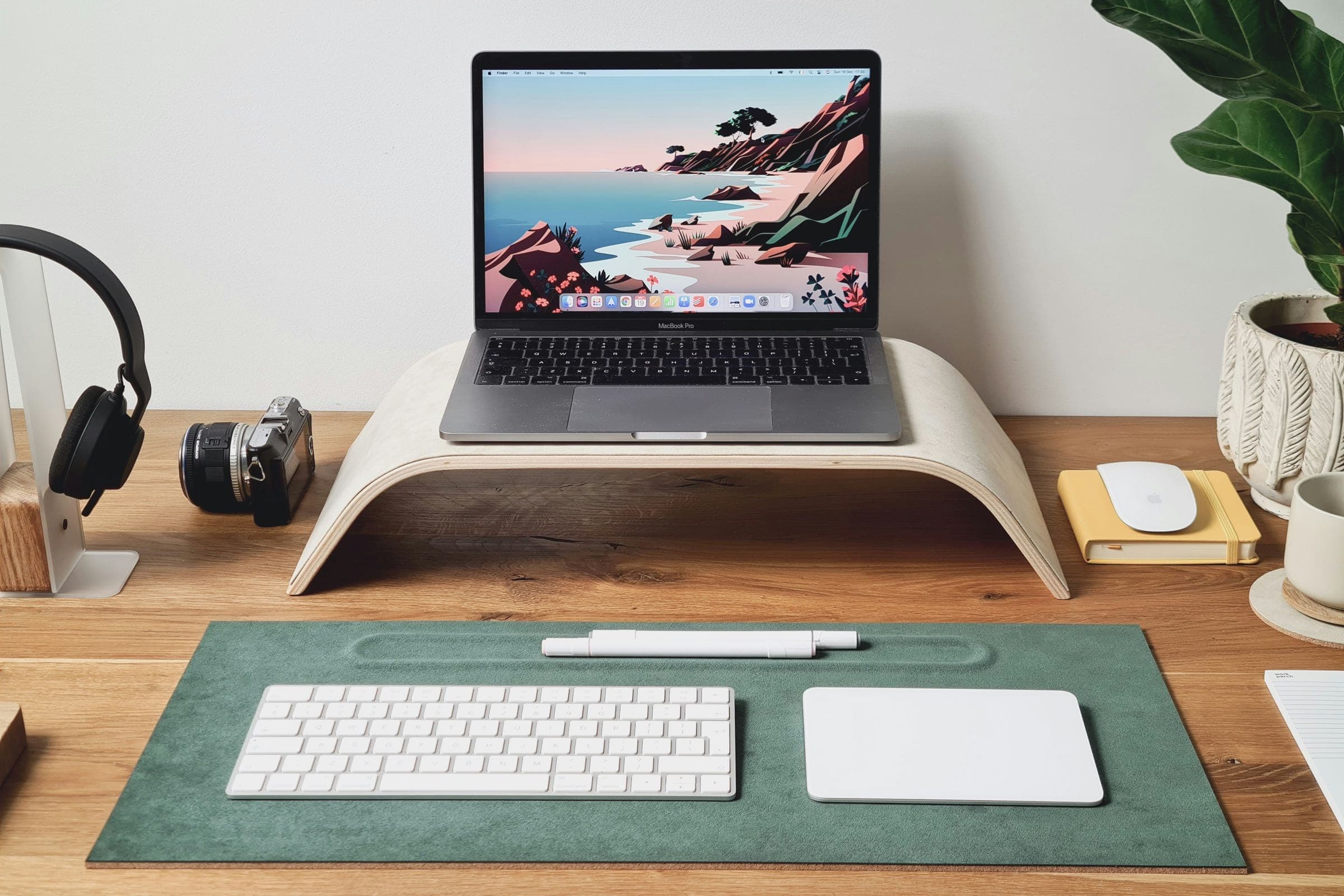
The correction comes down to two gestures. Raise the laptop screen so its top edge reaches eye level or just below. And plug in a separate keyboard and mouse, kept flat on the desk, so the hands stay low while the eyes come up. A laptop alone cannot create that separation between screen and hands.
In a small experiment with 25 office workers, raising the laptop on a stand, with an external keyboard in every condition, reduced self-reported neck discomfort from 4.9 to 2.7 on a 10-point scale. Another study measured less head flexion and lower activity in some neck and shoulder muscles as screen height increased; upper-trapezius fatigue did not change significantly. A separate keyboard remains necessary if you want to raise the laptop without lifting your hands.
This logic matches official guidance. France's INRS (the national institute for occupational health and safety) advises keeping the top of the screen below the horizontal line of sight and an eye-to-screen distance of about 50 to 70 centimetres, roughly an arm's length. It is also what people do on their own when allowed to set their own screen: they place it slightly below eye level, since a screen set too high produces more visual strain. The options for raising it range from a simple riser to an articulated arm; the rest of the workstation is covered in our home-office ergonomics guide.
Biomechanical measurements show less flexion and muscle activity, but they do not prove that an adjustment can make neck pain disappear. The Cochrane review on prevention among office workers found only one study of workstation adjustment, with no demonstrated effect on upper-limb pain or discomfort. The evidence remains limited.
04. Moving matters more than sitting up straight
Adjusting the workstation reduces one load, but it does not make a static posture harmless. INRS therefore recommends breaking up sitting time and taking active breaks. Our article on remote-work exercises details a short, equipment-free routine.
In a cluster-randomized trial of high-risk office workers, 17% of participants prompted to take active breaks or shift position regularly developed neck pain over six months, compared with 44% in the control group. A 2025 Cochrane review nevertheless found the overall effect of additional breaks on neck and back pain to be very uncertain. The trial tested a specific intervention in a high-risk group; the review found too little evidence to set an ideal break frequency or duration. INRS recommends active breaks ideally every 30 minutes.
Over the medium term, strengthening is the best-supported intervention. A systematic review of 27 randomized trials concludes, with moderate-quality evidence, that neck and shoulder strengthening exercises reduce neck pain in office workers who already have it; the largest effects appeared in studies with the highest participation rates. In another four-week trial, participants were asked to stretch twice a day, five days a week. Their pain and neck function improved more than with an ergonomics brochure alone.
In the Cochrane review, the single sit-stand-desk study showed no effect on upper-limb pain or discomfort. The desk may make it easier to alternate postures, but that practical function does not prove a clinical effect on pain.
05. When it is no longer a matter of adjustment
A discomfort that appears at the workstation may change after an adjustment or more movement, but that does not establish its cause. Ergonomics has limits, and it is important to recognise them.
Ask for medical advice if pain persists, worsens, or interferes with daily activities despite the adjustments. Seek prompt care after a significant injury, or if pain travels down the arm with tingling, numbness, or loss of strength. This article describes general ergonomic principles; it is not a substitute for an examination or a diagnosis.
The neck, finally, cannot be fixed in isolation. Visual fatigue makes you crane forward without realising it; a chair with no lumbar support collapses the lower back, and the upper body follows. The boundary between work and rest matters just as much: a workstation you never truly leave keeps a low background tension alive. That is also why the home should remain a place of rest, and not just one more desk.
In practice: where to start
If you were to act this week, start by raising the laptop screen and adding a separate keyboard and mouse. Place the screen about an arm's length away, then build movement into the day: stand up regularly, walk during a call, or stretch between meetings. If your neck already hurts, ask a health professional for advice before starting a strengthening programme.
These adjustments have a modest role: they reduce one mechanical load and make position changes easier. They do not diagnose or treat persistent pain on their own.
World Health Organization, "Musculoskeletal health", fact sheet, 2022. who.int
Assurance Maladie (France's national health insurer), "Comprendre les troubles musculo-squelettiques", ameli.fr, 2024
INRS (France's national institute for occupational health and safety), "Travail sur écran: prévention des risques" and "Risques pour la santé", inrs.fr, 2024
Bodin J., Fadel M., Goldberg M., Zins M., Petit A., Roquelaure Y., "Association between COVID-19-mandated telework and neck pain: the Constances cohort", Archives des Maladies Professionnelles et de l'Environnement, 2025
Mahmoud N. F. et al., "The Relationship Between Forward Head Posture and Neck Pain: a Systematic Review and Meta-Analysis", Current Reviews in Musculoskeletal Medicine, 2019
Tapanya W. et al., "Influence of neck flexion angle on gravitational moment and neck muscle activity when using a smartphone while standing", Ergonomics, 2021
Barrett J. M., McKinnon C., Callaghan J. P., "Cervical spine joint loading with neck flexion", Ergonomics, 2019
Straker L., Jones K. J., Miller J., "A comparison of the postures assumed when using laptop computers and desktop computers", Applied Ergonomics, 1997
Yu Z. et al., "Differences in posture kinematics between using a tablet, a laptop, and a desktop computer", Work, 2018
Du T. et al. (National Institute of Occupational Safety and Health, Japan), "Relationship between using tables, chairs, and computers and improper postures when doing VDT work in work from home", Industrial Health, 2022
Moffet H. et al., "Influence of laptop computer design and working position on physical exposure variables", Clinical Biomechanics, 2002
Ghadimi H. et al., "Ergonomic Design and Assessment of an Adjustable Laptop Stand Used in the Typing Task", Medical Journal of the Islamic Republic of Iran, 2023
Guo Z. et al., "Effects of laptop screen height on neck and shoulder muscle fatigue and spine loading for office workers", Work, 2024
Jaschinski W., Heuer H., Kylian H., "Preferred position of visual displays relative to the eyes", Ergonomics, 1998
Hoe V. C. W. et al., "Ergonomic interventions for preventing work-related musculoskeletal disorders of the upper limb and neck among office workers", Cochrane Database of Systematic Reviews, 2018
Chen X. et al., "Workplace-Based Interventions for Neck Pain in Office Workers: Systematic Review and Meta-Analysis", Physical Therapy, 2018
Tunwattanapong P. et al., "The effectiveness of a neck and shoulder stretching exercise program among office workers with neck pain: a randomized controlled trial", Clinical Rehabilitation, 2016
Waongenngarm P. et al., "Effects of an active break and postural shift intervention on preventing neck and low-back pain among high-risk office workers", Scandinavian Journal of Work, Environment & Health, 2021
Luger T. et al., "Work-break interventions for preventing musculoskeletal symptoms and disorders in healthy workers", Cochrane Database of Systematic Reviews, 2025
"Prediction of Work from Home and Musculoskeletal Discomfort: An Investigation of Ergonomic Factors in Work Arrangements and Home Workstation Setups Using the COVID-19 Experience", International Journal of Environmental Research and Public Health, 2023 (Hong Kong study: laptop-only screen associated with higher odds of neck discomfort)
"Computer and Furniture Affecting Musculoskeletal Problems and Work Performance in Work From Home During COVID-19 Pandemic", Journal of Occupational and Environmental Medicine, 2022 (Japan survey, n = 4,112: no significant difference by type of computer)