Ergonomic chair for remote work: how to choose without buying a miracle
What the research actually says about lumbar support, seat depth, armrests, backrest movement, and the budget for a durable office chair.
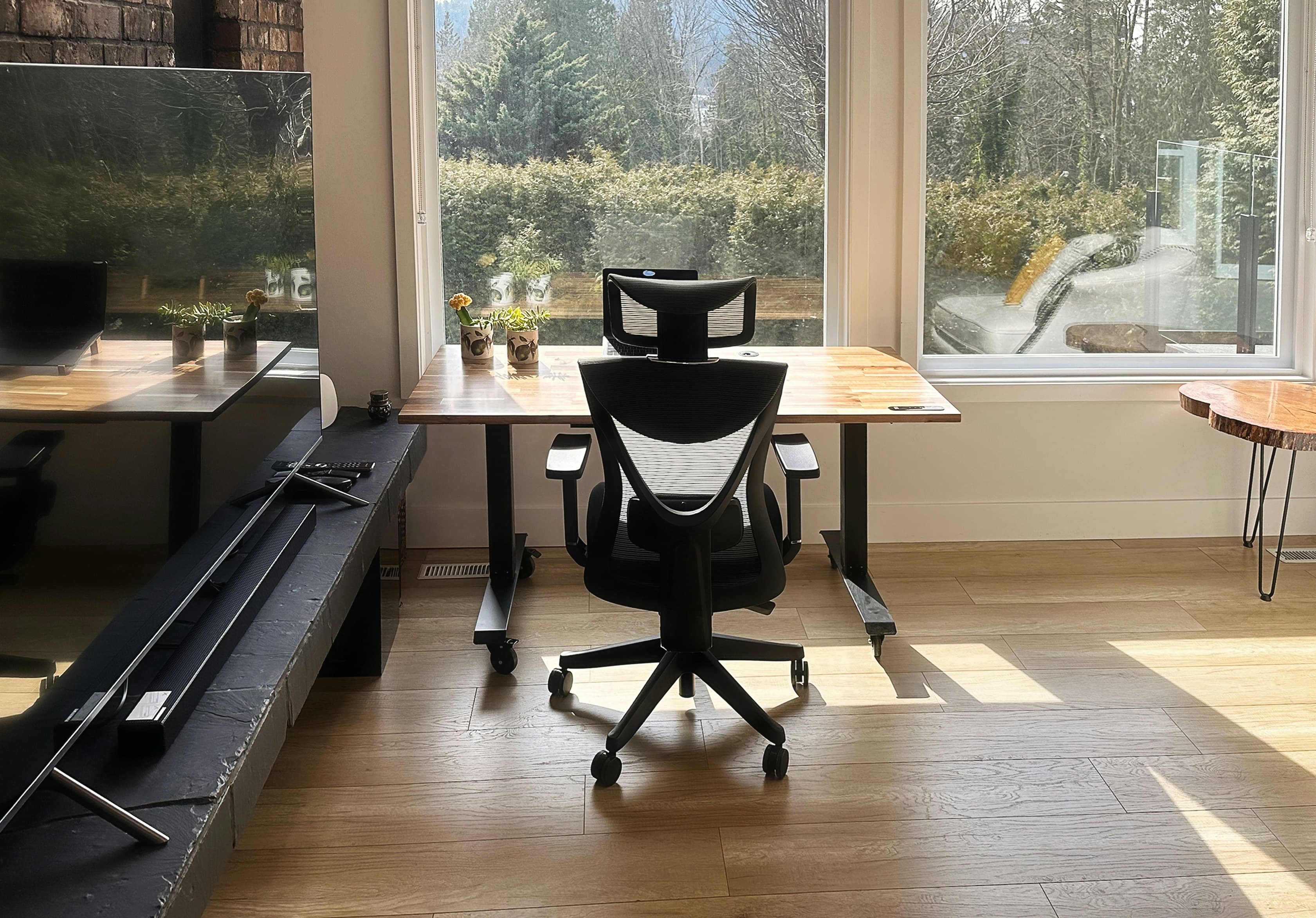
Photo: EFFYDESK / Unsplash
An ergonomic chair is not chosen like a living-room armchair. It is chosen like a tool your body will use for three, five, or eight hours a day. If it cannot adjust to you, it is not ergonomic. It is just more expensive.
That restraint matters. France’s Assurance Maladie notes that musculoskeletal disorders rose by 6.7% between 2023 and 2024 and represent 90% of recognized occupational diseases. For office work and remote work, it names reducing low back pain, MSDs, and visual fatigue among the prevention priorities. A chair is only one part of the workstation.
This is not a ranking. No top 10, no miracle chair, no hidden affiliate link. The question is simpler: how do you recognize an ergonomic office chair that has a reasonable chance of fitting your body, your desk, and your real remote-work schedule? The rest of the workstation, screen, light, cables, and breaks, is covered in our home-office ergonomics guide. This guide stays with the chair.
01. Start with usage time
Start by asking how many hours you will actually sit in the chair, and for what kind of work.
A day of email and video calls does not put the same load on the body as six hours of coding, design, or writing. One remote-work day per week does not always justify the same budget as four fixed days at home. A chair placed in the corner of a living room has different constraints from a dedicated office.
INRS puts the criterion plainly: the chair must fit the work situation, the user, and the environment. That sentence is more useful than most product pages. The situation means duration, tasks, and break rhythm. The user means body size, habits, and any health constraints. The environment means desk height, floor type, clearance behind the chair, light, and whether a footrest is needed.
Before looking at models, write down your use: remote-work days, average sitting time, desk height, approximate body size, need to move, and whether you use an external screen. If you do not know these constraints, you are buying blind.
A seat is ergonomic only in context. The same chair can be excellent for an average-height person at an adjustable desk and poor for a smaller person at a dining table that is too high. That is why generic comfort promises are worth very little.
02. Lumbar support helps, but it is not magic
Lumbar support is the phrase that sells chairs. It still needs precision. Its role is not to cure a painful back. Its role is to help the lower back keep a more natural curve while you sit, especially when sitting lasts.
INRS recommends a reclining, height-adjustable backrest for proper back support, especially in the lumbar area. In its practical sheet on chair adjustment, the institute also notes that a backward recline can reduce pressure on the lower-back intervertebral discs. This fits the logic of seated work: the back does not want to be locked upright like a ruler. It wants support and room to vary.
The research asks for caution. A systematic review in BMC Musculoskeletal Disorders found a consistent trend supporting chair interventions for reducing musculoskeletal symptoms among workers who sit for long periods. The authors also stress the moderate quality of the evidence, the small number of studies, and the lack of basis for strong recommendations. Adjustable chairs, paired with training on how to set them up, look the most promising.
Lumbar support matters, but its adjustment matters as much as the bump itself. A lumbar cushion set too high can push in the wrong place. A fixed backrest can support one person and annoy another. Height adjustment, and sometimes depth adjustment, gives you a better chance of matching the support to the real curve of your lower back.
03. Seat pan: height, depth, front edge
The seat pan sets up the rest of the adjustment. Too high, and it lifts the feet or makes you slide forward. Too low, and it closes the knee angle and rounds the pelvis. Too deep, and it compresses the back of the knees or keeps you away from the backrest. Too short, and the thighs lose support.
INRS gives clear markers: seat height should let the feet rest on the floor; if not, a footrest should be available. Seat depth should allow the lower back to touch the backrest without pressure behind the knees. The front edge should be rounded.
In practice, sit fully back. Your feet should rest flat, your thighs should be close to horizontal, and there should be a small gap between the front edge of the seat and the back of the knee. If you need to slide forward to avoid pressure, the seat is too deep or badly adjusted. If your feet do not reach the floor once your elbows are at the right height for the keyboard, you need a footrest or a lower desk.
Seat-depth adjustment gives you more room to match the chair to your thigh length. For occasional use, a fixed depth can work if it lets you use the backrest without pressure behind the knees. For regular remote work, test this setting rather than assuming it will fit.
04. Backrest: support and movement
A good backrest has more work to do than giving you somewhere to lean. It should follow several work positions: focus toward the screen, reading with a slight recline, phone call, short pause. A chair that forces a single posture often ends up encouraging slumping.
The INRS chair-adjustment sheet describes a high backrest, around 45 to 55 cm, that supports both the lower and upper back. It also stresses the value of a reclining backrest because it lets the user vary posture. Vary your posture while keeping support, rather than staying fixed at 90 degrees.
Check backrest or lumbar-support height, then recline and recline tension. The tension should hold you without pushing you forward. If recline takes effort, you will not use it. If it falls away too easily, you will brace.
The headrest deserves its own note. INRS considers it necessary in certain cases, for example when a worker monitors several screens at different heights or has neck pain. For many remote workers it remains secondary. A badly placed headrest can push the head forward; a good one does not interfere with your natural gaze toward the screen. For the neck and the flat laptop problem, read our article on laptop neck pain when working from home.
05. Armrests: help or obstacle
Armrests are useful when they unload the shoulders without blocking the desk. They get in the way when they are too high, too wide, too long, or impossible to move aside. Then they stop you from getting close to the desk, raise the shoulders, or force the elbows into an artificial position.
INRS recommends armrests that are removable, height-adjustable, width-adjustable, depth-adjustable, and ideally pivoting. The key word is adjustable. Fixed armrests leave less room to fit the chair to the desk.
The right setting is quiet: shoulders stay low, elbows can rest without effort, and forearms stay close to the keyboard and mouse. If your desk is narrow, check that the armrests do not hit the top. If you mostly rest your forearms on the desk, armrests that move out of the way can be more useful than large ones.
Check the whole workstation too. A highly adjustable chair does not compensate for a keyboard that is too high. If the shoulders rise when your hands are on the keyboard, the desk may be the problem, not the chair. That is why a new chair should always be followed by a full setup check.
06. Price, duration, warranty: buy adjustment
The price of an ergonomic chair does not tell you whether it will fit your body. Read the specification instead: adjustment ranges, included mechanisms, warranty length, replaceable parts, and trial or return conditions. If you work remotely on a regular basis, part of that cost may also fall to your employer — see remote work: rights and desk funding.
Price categories do not replace that information. Check that each advertised adjustment has a stated range, and read which parts the warranty covers, including the gas lift, recline mechanism, armrests, and castors.
The useful calculation is per sitting day. A EUR 450 chair used three days a week for five years costs less than 60 cents per remote-work day. That is not a reason to overpay. It is a way to compare price with actual use rather than with the shock of the checkout page.
Pay for adjustments you will use, a credible warranty, and a trial period. Do not pay for a promise of total posture correction. A chair can improve comfort; it does not replace movement or a coherent workstation.
If your back already hurts, do not turn the cart into a diagnosis. Pain that persists or worsens, or comes with weakness, numbness, or reduced sensation in a leg, deserves medical advice. This article gives buying criteria, not a prescription.
07. The checklist before ordering
Start by measuring your desk. If the top is too high and not adjustable, the chair may need to rise, which may require a footrest. Also measure the space behind you: a deep chair or wide armrests can become impractical in a small living room.
Then check the settings in this order: seat height, seat depth, lumbar support or adjustable backrest, backrest recline, recline tension, adjustable armrests, stable base. Castors should match the floor, hard or soft. The spec sheet should give adjustment ranges, not only words like comfort or premium.
Next, look for trial and return conditions. A chair is judged in real use, not on a specification sheet. A short test can reveal pressure behind the knees, armrests that get in the way, or lumbar support that is too high. An at-home trial gives you more time to notice noise, heat from the cover material, and how easy it is to move.
Finally, recheck the workstation after delivery: chair height, foot support, screen distance, keyboard height, and light. Make sure that raising the seat has not left your feet unsupported or the keyboard too high. Even with a well-adjusted chair, change posture regularly; our guide to simple remote-work exercises offers an equipment-free routine.
Frequently asked questions
What is the difference between an office chair and an ergonomic chair?
An ergonomic chair is defined mainly by its adjustments: height, seat depth, backrest, lumbar support, and armrests. It should fit the person and the work situation, not simply add more padding.
Is lumbar support essential?
For regular use, lumbar support is an important criterion. INRS recommends an adjustable, reclining backrest that supports the back, especially the lumbar area.
Can an ergonomic chair fix back pain?
No. A well-chosen chair can improve comfort, but it does not replace medical advice, movement, active breaks, or the rest of the workstation setup.
Do I need adjustable armrests?
They help when they adjust in height, width, and depth without blocking access to the desk. Fixed armrests that are too high or too wide can make the shoulders rise.
How much should I budget for a durable remote-work chair?
For regular remote work, start with usage time, then compare adjustment ranges, warranty, and trial conditions. A high price does not prove that a chair will fit your body or your desk.
INRS, “Travail sur écran. Prévention des risques”, inrs.fr, updated in 2025. inrs.fr
INRS, “Comment régler son siège quand on travaille sur écran ?”, Hygiène et sécurité du travail, n° 237, 2014. INRS PDF
INRS, “Le travail sur écran”, ED 6538, practical risk-prevention guide. INRS PDF
Assurance Maladie, “Comprendre les troubles musculo-squelettiques”, ameli.fr. ameli.fr
Assurance Maladie, “Travail de bureau”, office work and telework dossier, ameli.fr, 26 November 2025. ameli.fr
EU-OSHA, “Static postures and MSDs: how prolonged sitting or standing at work can affect workers’ health”, osha.europa.eu. osha.europa.eu
Van Niekerk S.-M. et al., “The effectiveness of a chair intervention in the workplace to reduce musculoskeletal symptoms. A systematic review”, BMC Musculoskeletal Disorders, 2012. Springer Nature
Hoe V. C. W. et al., “Ergonomic interventions for preventing work-related musculoskeletal disorders of the upper limb and neck among office workers”, Cochrane Database of Systematic Reviews, 2018. Cochrane
Assurance Maladie, “Sciatique : comment être soulagé(e) et quand consulter ?”, ameli.fr. ameli.fr
. Price bands removed in favour of checkable specifications; signs that warrant medical advice revised, source added.