Home office lighting: how to set up a desk lamp without glare
A simple method for placing the window, ambient light, and desk lamp so the screen does not become a mirror.
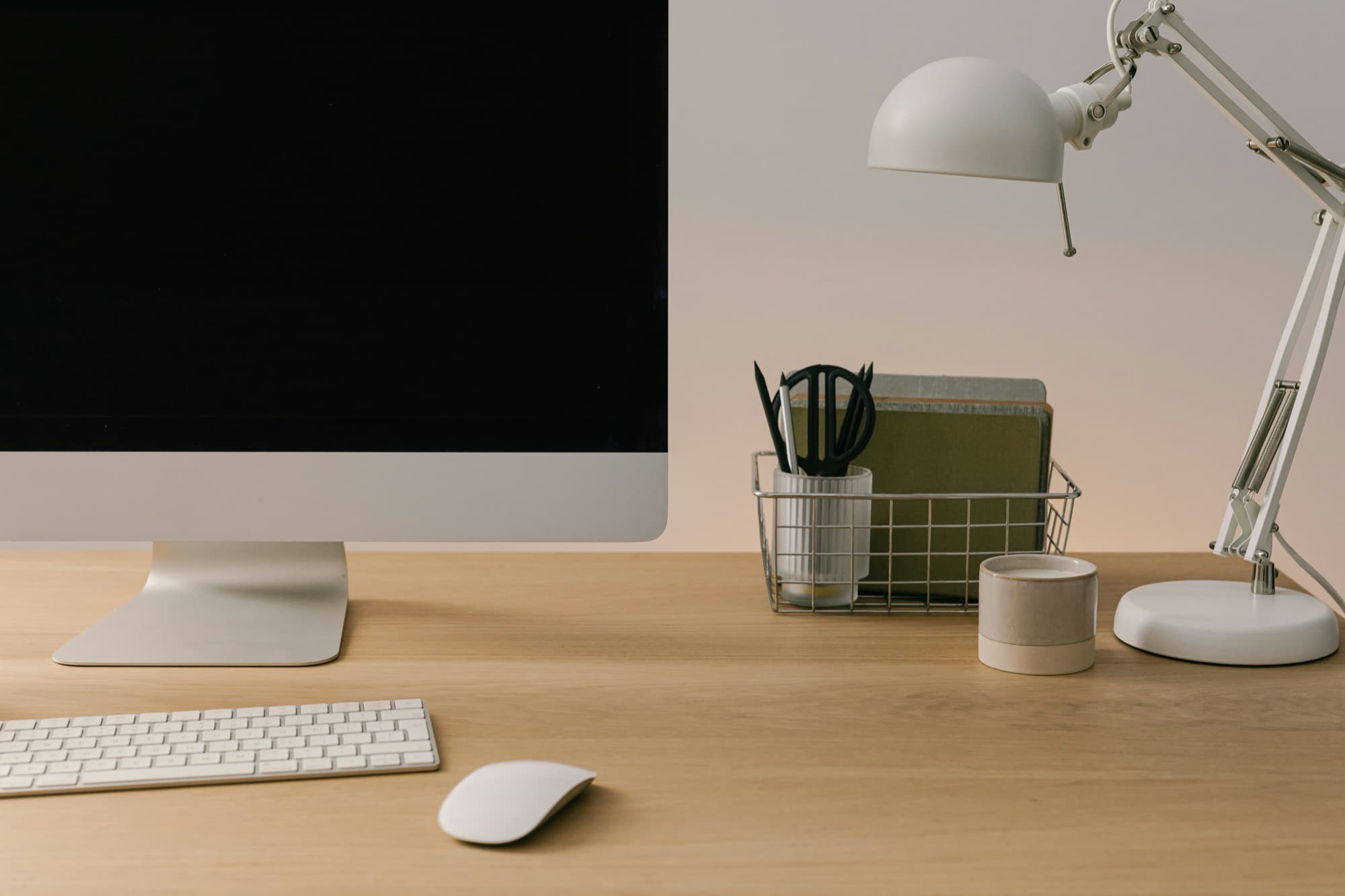
Photo: Karolina Grabowska / Unsplash
Poor lighting is not always obvious. You notice it in a reflection on the screen, a page that is too dim to read, shoulders creeping upward, or your head moving a few centimetres closer to the monitor. By evening, you blame the computer. The lamp is worth checking too.
Home office lighting works as a small system. The window gives you most of the light. The room keeps the screen from sitting in harsh contrast with everything around it. The lamp handles the close work: reading a note, writing, finding the keyboard, signing something.
A studio setup would be excessive. The useful test is simpler: see clearly, keep the screen readable, and avoid light that pushes you into a poor posture.
01. Start by finding glare
Before choosing a desk lamp for remote work, look at what is already getting in the way. Sit as you normally work. Open the document you use most often, then look at the screen when it is dark or switched off. If it reflects a window, ceiling light, glossy wall, or bare bulb, correct the angle before increasing the power.
CCOHS describes the monitor as a mirror. Reflections create visual discomfort, but they also push you into an awkward position: you lean forward or back to dodge the bright patch. CCOHS notes those positions feed upper-body aches that, in turn, aggravate eye strain.
Place a small mirror flat on the area where you read or write. If it reflects the lamp or ceiling light, the source is in the wrong place. Without a mirror, hold a notebook between the light source and the screen. If the image becomes easier to see, you have found the reflection to fix.
This step catches the reflex purchase. A stronger lamp can make the setup worse if it lands on the screen or in your eyes.
02. Put the window to the side
The window is the first light fixture in the room. It should be useful, not dominant. INRS recommends placing screens perpendicular to daylight openings and, where possible, more than 150 cm from windows to limit reflections and glare.
Two positions cause the most trouble. Facing the window, the contrast between the bright outdoors and the screen tires the eyes. Sitting with your back to the window, the screen catches the glass as a reflection. The better base is lateral: window to the left or right, screen in front of you, blinds or a sheer curtain for the hours when sunlight reaches the display.
Do not chase perfect symmetry. Look for a readable surface at 9 a.m. and again at 4 p.m. If the sun crosses the screen for part of the day, the right fix is a blind, not a colder lamp.
03. Set ambient light without over-lighting
Ambient light keeps the desk from becoming a bright island in a dark room. INRS gives a clear reference for screen work: 300 to 500 lux for screens with a light background, and 200 to 300 lux for dark-background screens. Treat these as working ranges, not medical promises.
A phone light-meter app can help you get oriented, though it is not a calibrated luxmeter. Place the phone on the desk, sensor facing upward, and test several moments of the day. If you are far below 300 lux while reading documents, the room probably needs more ambient light. If the screen looks washed out and the room feels hard, you may have too much light or too much direct light.
The number is not the whole story. Walls, ceilings, documents, and nearby surfaces should sit in the same visual family. Matte finishes matter here: a glossy desktop, framed glass, or chrome accessory can throw a light source straight back into your field of view.
04. Add the desk lamp in the right place
Read the three parts of the lighting setup
- WindowLocate the daylight and the reflections it may create.
- Task lampAim the working light at the keyboard, notebook and mouse.
- ScreenCheck reflections from your seat, then adjust the lamp or blind.
The lamp should not correct the whole room. It should treat the active zone: papers, keyboard, mouse, or notebook, depending on what is in your hands. CCOHS puts it simply: task lighting should illuminate the document, not the monitor.
Place the lamp slightly to the side, forward of the screen, with the beam aimed down onto the work surface. If you write by hand, test the side opposite your dominant hand so your hand does not cast a shadow across the page. If you work almost entirely on screen, lower the intensity. You need balance, not a spotlight.
A good home office desk lamp is defined less by its silhouette than by its controls. Look for an adjustable arm and head, dimming, a diffuser that hides the LED from direct view, a stable base, and a switch that is easy to reach. The selection at the end of this guide keeps one, to check against these criteria: the Philips Einstein, a 15 W LED lamp.
05. Choose colour temperature with restraint
Marketing likes to turn warm light and cool light into a personality test. For desk work, the question is plainer: can you read comfortably for a long stretch? For screen work, INRS says 3000 to 4000 K is a good compromise.
You do not need a very cool lamp to work. If you have to choose one tone, stay between 3000 and 4000 K. A dimmer then lets you adapt the light to the documents and the rest of the room.
Watch for flicker as well. INRS recommends avoiding flicker that can appear when LED power is adjusted because it may contribute to visual fatigue. If a lamp causes immediate discomfort, try another setting or another model.
06. The five-minute setup
Work in this order. Place the screen perpendicular to the window. Reduce or diffuse daylight until the screen no longer reflects the glass. Set the room light so the space is neither dim nor harsh. Add the lamp to the side, aimed at the keyboard and documents. Check the whole setup with the mirror or notebook test.
Repeat the test when conditions change. A home desk does not have the same light in winter, on a grey afternoon, or during a video call with a bright white interface. The best setup is one you can adjust quickly.
Lighting reduces glare and makes visual work more comfortable. It does not replace breaks. CDC/NIOSH lists the simple measures around computer vision discomfort: take regular breaks to look away from the screen, adjust the workstation, reduce screen glare, adjust brightness, and get eye exams regularly.
In practice: what to buy, and what to avoid
If you buy a lamp, start with function: articulated arm, dimming, adjustable head, shielded light source, colour temperature around 3000 to 4000 K, and real stability on the desk. Avoid decorative lamps with visible bulbs, models too weak to read a document, glossy surfaces close to the screen, and lamps that only have two states: off or too bright.
The rest of the desk also matters. A matte surface under the keyboard, mouse, and notebook helps keep the active work zone visually quiet. A felt and cork desk mat will not fix lighting by itself, but it avoids adding another shiny surface. For more on material behaviour at the desk, read the materials that make the difference.
INRS, “Travail sur écran: prévention des risques” (in French), accessed July 25, 2026.
INRS, “Écrans de visualisation: santé et ergonomie” (in French), ED 924.
CCOHS, “Office Ergonomics - Eye Discomfort in the Office”.
CCOHS, “Lighting Ergonomics - Survey and Solutions” and “Lighting Ergonomics - General”.
CDC Stacks / NIOSH, “Computer vision syndrome”, 2015 fact sheet.
. Our selection: the lamp is now named (Philips Einstein, 15 W LED).