The reversible desk: work from home 1–2 days without losing the living room
A stable workstation by day, a living room again by evening.
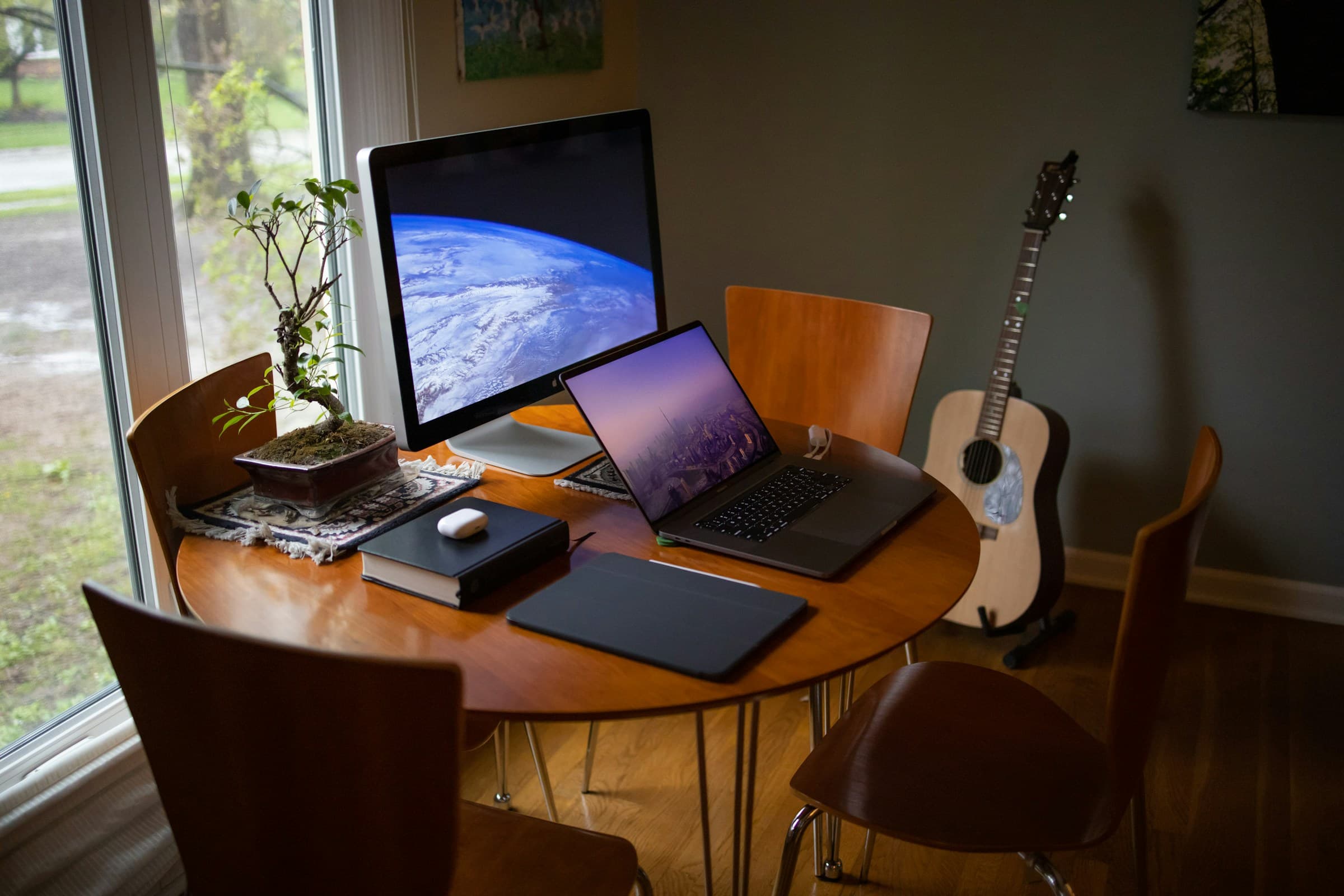
Photo: Johnny McClung / Unsplash
At 8:45, the table holds a laptop, headset, charger, and the day’s notebook. At 6:15, every item is still there. The workday is over, but the living room still looks like a workstation.
For one or two remote days a week, giving an entire room to a desk is rarely realistic. INRS recommends a dedicated work area where possible. Without that option, the workstation needs to be reliable for the day and removable afterwards. Rebuilding it from the sofa every morning is not much of a system.
A permanent office in the middle of the living room is one extreme; a laptop on your knees is the other. A useful setup assembles quickly, stays put during work, and already has somewhere to go when the day ends.
01. Plan the room at 7 pm
Before measuring a desktop, take stock of the end of the day. What may remain visible at 7 pm? Perhaps a lamp, a pencil cup, or a notebook. The work laptop, headset, keyboard, mouse, charger, and documents all need a specific destination away from the surface.
That question reveals the true volume of the system. A full-width keyboard needs longer storage than a compact one. An external monitor requires furniture that can hold it permanently, an arm that folds it away neatly, or a cupboard accessible enough that carrying the screen does not become the morning’s first obstacle. Paper files need a closed container, particularly when they contain information that should not remain in a shared room.
Set four constraints next: the surface, the available seat, the power outlet, and the storage place. Leave one unresolved and the same problems will return: cables on the floor, objects in piles, or equipment that never quite gets put away.
Imagine guests arriving ten minutes after your last meeting. Does every work item have an obvious home without rearranging half the living room? If not, the workstation is not reversible yet.
02. Test the furniture as a workstation
A dining table, deep console, or writing cabinet may work, but the furniture label says little about the full setup. Sit down and check the whole scene. Your feet rest on the floor or on a stable support. The backrest supports you. The shoulders stay relaxed, the elbows remain near the body, and the hands continue the line of the forearms. Keyboard and mouse fit in front without pushing the screen beyond a readable distance.
Guidance from INRS and the HSE treats these as starting cues, not a perfect posture to hold without moving. If the surface is too high, a firm seat cushion may help, provided the feet then regain stable support. If the chair remains unstable or uncomfortable after simple adjustments, a well-designed cable box will not solve the underlying problem.
Check the space below as well. Knees should not meet a drawer, brace, or storage box. A compact surface that blocks the legs quickly leads to working at an angle. For the same reason, put the main screen in front of you, not in whatever corner remains between a vase and a speaker.
Run a complete rehearsal before buying anything: install the equipment you already own, work for thirty minutes, pack it away, and note what actually got in the way. This rehearsal cannot establish all-day comfort, but it will expose obvious problems with height, depth, power, or circulation.
03. Keep the working kit small
For prolonged laptop work, INRS recommends separating the screen from the keyboard: either connect an external monitor or raise the laptop and add a separate keyboard and mouse. The HSE gives the same basic advice. Separation lets the screen sit near eye level while the hands remain closer to elbow height.
The basic kit is a short list: computer, stable riser, keyboard and mouse, headset, and power. A lamp or notebook may earn a place, but every extra object increases both the volume to move and the number of decisions required at closing time.
For the screen, begin at a comfortable reading distance with its top edge near eye level, then adapt around your vision, glasses, and task. CCOHS notes that published viewing angles and distances are guides to tailor, not commandments. Increasing text size is often more useful than pulling the display uncomfortably close.
If a second monitor is essential, leave it on a surface where it can stay or choose genuinely accessible storage. Moving a large display between a basement and the living room twice a week is technically reversible, but the routine is unlikely to survive a busy week.
04. Make it one trip from storage to table
Storage can remain visible as long as it is nearby and large enough for the whole kit. A rigid box, empty drawer, or closed basket can hold the keyboard, mouse, headset, riser, and notebook. The charger belongs to the kit instead of being searched for in another room.
Avoid rebuilding the cable route at every session. Group small leads in a pouch, keep the power strip in one known place, and expose only the length needed to reach the table. No cable should cross a walkway or remain pulled tight between outlet and computer. Our desk cable-management guide covers fixed points, service loops, and common mistakes.
One kit, three states
- StoreThe equipment goes into its basket.
- Set upThe same kit returns to the table.
- ClearThe surface returns to living-room use.
Give each item a known place: power on the left, keyboard at the back, headset above, documents in the closed sleeve. With that simple map, packing up does not turn into an organisation project every evening.
05. Let the room set the light and privacy rules
A temporary workstation still has to live with windows, lamps, and foot traffic. Where the room allows it, INRS advises placing the screen perpendicular to the window to limit reflections. Curtains or blinds can modulate daylight; a task lamp completes the scene as the light drops. Our guide to home-office lighting goes further without turning the living room into a studio.
Look at the camera’s field of view too. A household route, front door, or personal documents in the background can complicate video calls. A slight change in chair position, tighter framing, or a restrained company-approved background may be enough. Avoid leaving a work screen readable from the sofa or a common walkway.
Sound needs the same restraint. A headset limits how far a meeting travels, but it does not make a sensitive conversation private in the middle of the room. Move elsewhere for that call or follow your employer’s policy. A reversible desk organises equipment; it does not turn a shared room into an enclosed office.
06. Use a closing routine that fits the evening
The reset begins with the work itself: save files through approved tools, close documents, and lock the session. The CNIL advises remote workers to follow their employer’s IT policy and separate professional and personal uses where possible. In a shared living room, that separation should be physical too; no sensitive file remains open on the table.
Then keep the same order: disconnect, coil without pulling tight, put small accessories in their pouch, store the computer and riser, wipe and clear the surface. Return the chair, lamp, or domestic objects to their normal positions. Once the equipment is away, the living room can return to its usual use.
Once a week, check the kit. Charge what needs charging, remove unnecessary paper, and replace a cable that is beginning to fail. This small maintenance pass prevents the reversible system from slowly becoming a drawer where everything mixes together.
A useful workstation knows how to leave
For one or two remote days, workstation quality is not measured by the number of accessories on display. It comes from a coherent setup during screen hours and an uncomplicated exit in the evening.
Start with the surface and seat. Separate screen height from hand position for longer sessions. Gather the equipment into one kit, give the cables a short route, and repeat the same closing sequence. The living room can then host work without becoming its storeroom.
INRS, “Travail sur écran : prévention des risques”, updated 11 June 2025
INRS, “Télétravail : prévenir les risques”
Health and Safety Executive, “Working safely with display screen equipment”
CCOHS, “Office Ergonomics - Positioning the Monitor”
CNIL, “Salariés en télétravail : quelles sont les bonnes pratiques à suivre ?”